PGT: GFX, Launcher & Optimizer
Top Games











Game Screenshots
Game Introduction
🏆 Expert Verdict & Overview
PGT: GFX, Launcher & Optimizer stands as a definitive utility for mobile gaming enthusiasts, bridging the gap between hardware limitations and software potential. Categorized under Libraries & Demo, this application serves as a robust configuration interface that empowers users to unlock hidden performance tiers and visual enhancements in popular mobile titles. Having earned recognition on prestigious platforms like the XDA Portal, PGT offers a professional-grade toolkit for optimizing frame rates, resolutions, and textures, making it an indispensable asset for those seeking a competitive edge or a more immersive visual experience on Android devices.
🔍 Key Features Breakdown
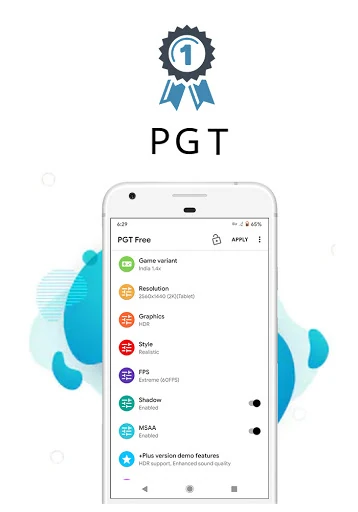
- Advanced Graphics Customization: Allows users to override default game settings to enable HDR and UHD textures even on budget-tier devices, significantly enhancing visual fidelity.
- FPS Unlocking: Provides the capability to push frame rates up to 90 FPS, ensuring smoother gameplay and reduced input lag for a more responsive gaming experience.
- Comprehensive Version Compatibility: Supports a wide array of game variants including Global, CN, LITE, KR, VN, TW, and BETA versions, ensuring utility regardless of the user's regional client.
- Potato Graphics & Shaders: Offers unique "Potato" settings designed to maximize performance on extremely low-end hardware by stripping away non-essential visual elements to maintain playable framerates.
- System-Wide Optimization: Includes features like background app termination and memory boosting to ensure the device's resources are dedicated entirely to the gaming session.
🎨 User Experience & Design
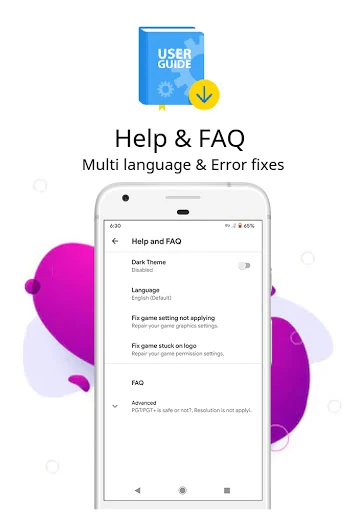
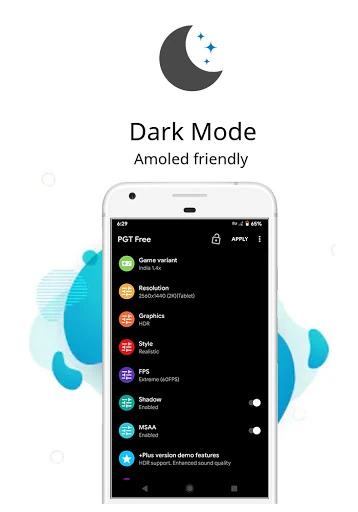
The interface of PGT: GFX, Launcher & Optimizer is designed with a utilitarian philosophy, prioritizing functionality and depth over aesthetic flair. The application categorizes its extensive list of tweaks into logical sections such as Basic, Miscellaneous, Advanced, and Experimental settings. While the design is straightforward, the sheer volume of options reflects its identity as a technical utility within the Libraries & Demo category. For the power user, the layout is efficient, though novices may require a brief period of acclimation or reliance on the built-in Help & FAQ section to navigate the more complex configurations safely.
⚖️ Pros & Cons Analysis
- ✅ The Good: Exceptional compatibility range, supporting Android versions from 4.3 all the way up to Android 13 and beyond.
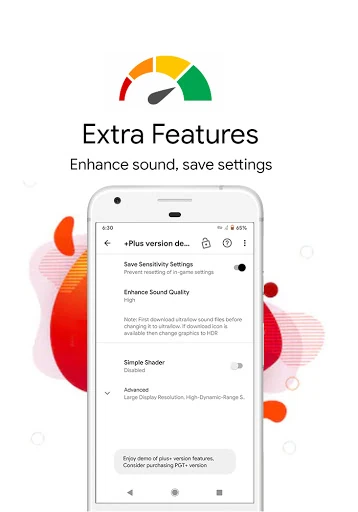
- ✅ The Good: Granular control over technical aspects like anti-aliasing, shadow quality, and ultra-audio settings that are typically locked by developers.
- ❌ The Bad: The interface can feel overwhelming for casual users due to the dense concentration of technical parameters.
- ❌ The Bad: Users must exercise manual caution as aggressive modifications can occasionally lead to stability issues depending on specific device thermal limits.
🛠️ Room for Improvement
To further solidify its market position, PGT could benefit from an automated "Smart Optimization" mode that scans the device's specific hardware and applies a recommended profile with a single tap. Additionally, a modernization of the UI/UX using contemporary design languages would make the tool more inviting to the casual gaming audience. Providing real-time tooltips for "Experimental" settings would also help users understand the immediate impact of specific tweaks without having to consult external documentation.
🏁 Final Conclusion & Recommendation
PGT: GFX, Launcher & Optimizer is the gold standard for users who demand total control over their mobile gaming performance. It is particularly valuable for owners of low-to-mid-range hardware who wish to play demanding titles without lag, as well as high-end users looking to fully utilize their display's high refresh rate. If you are a competitive gamer or a hardware enthusiast looking for every possible performance advantage, this utility is a mandatory addition to your app library. It remains a top-tier recommendation for its reliability and comprehensive feature set.
You May Also Like