Files by Google
Top Games










Game Screenshots
Game Introduction
🏆 Expert Verdict & Overview
Files by Google stands as a benchmark in the Android Tools category, successfully evolving from a simple storage-cleaning utility into a comprehensive file management ecosystem. It addresses the fundamental pain points of mobile users—cluttered storage, disorganized file structures, and the friction of local file sharing. By prioritizing a lightweight footprint and an ad-free experience, Google has created a professional-grade utility that bridges the gap between basic system maintenance and advanced data organization.
🔍 Key Features Breakdown
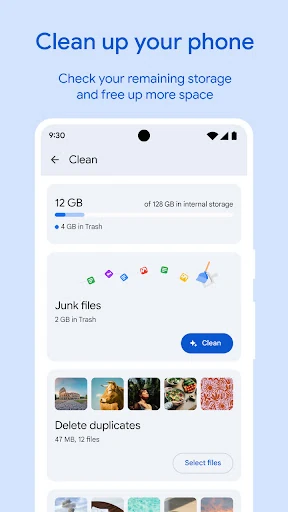
- Intelligent Cleaning Recommendations: Utilizes algorithmic analysis to identify duplicate files, blurry photos, and unused applications, allowing users to reclaim storage space with minimal manual effort.
- Quick Share Integration: Facilitates high-speed, offline peer-to-peer file transfers at speeds up to 480 Mbps using end-to-end encryption, eliminating the need for data-heavy cloud uploads for local sharing.
- Encrypted Safe Folder: Provides a secure, PIN or pattern-protected environment for sensitive documents and media, ensuring privacy even if the primary device lock is bypassed.
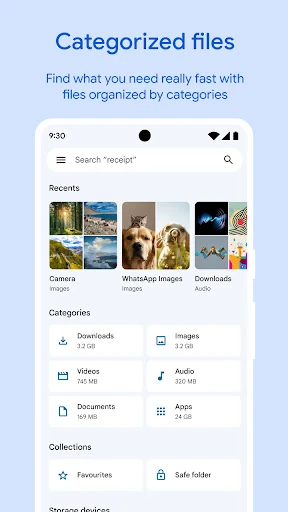
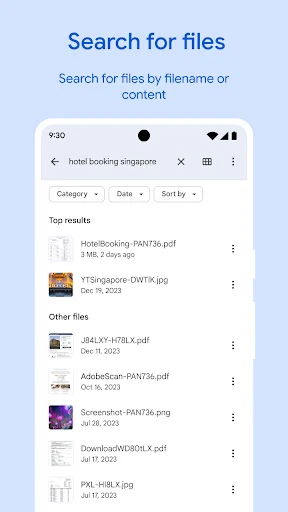
- Smart File Categorization: Automatically organizes data into intuitive filters like "Downloads," "Images," and "Large Files," significantly reducing the time spent navigating complex directory trees.
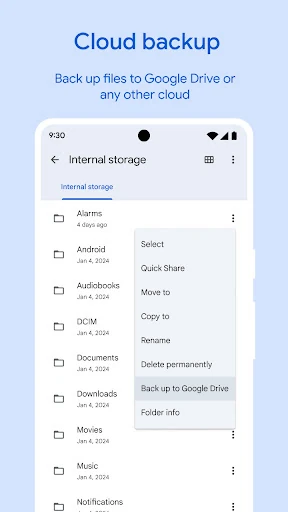
- Cloud Maintenance: Streamlines the process of backing up local data to Google Drive or external SD cards, ensuring data redundancy and device longevity.
🎨 User Experience & Design
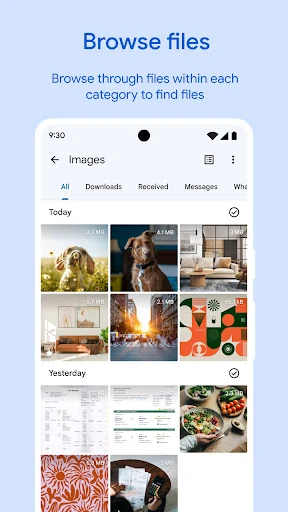
The UI of Files by Google is a masterclass in Material Design principles, favoring clarity and whitespace over dense information clusters. The app is divided into three primary tabs—Clean, Browse, and Share—which align perfectly with the core user journey. The "Clean" interface uses visual cards to make storage management feel less like a chore and more like a guided task. Transitioning between folders is fluid, and the integrated media player provides a seamless experience for previewing content without launching secondary apps. Its sub-20MB size ensures it remains performant even on entry-level hardware, adhering to the highest standards of accessibility in the Tools category.
⚖️ Pros & Cons Analysis
- ✅ The Good: Completely free of advertisements and bloatware, offering a "clean" software experience.
- ✅ The Good: Exceptionally fast offline file sharing that rivals hardware-specific solutions.
- ✅ The Good: Low system resource consumption makes it ideal for older or budget-conscious devices.
- ❌ The Bad: Advanced users may find the lack of network protocol support (like FTP or SMB) limiting.
- ❌ The Bad: Cloud integration is heavily biased toward Google Drive, offering less native support for competitors like OneDrive or Dropbox.
🛠️ Room for Improvement
To further solidify its position as the ultimate file manager, future updates should consider implementing batch renaming tools and a built-in PDF editor for basic annotations. Furthermore, expanding the "Safe Folder" to support cloud-synced encrypted backups would provide an extra layer of security for users who switch devices frequently. Adding support for network-attached storage (NAS) browsing would also appeal to the power-user demographic.
🏁 Final Conclusion & Recommendation
Files by Google is an essential utility for virtually every Android user, particularly those managing devices with limited internal storage or those who operate in low-connectivity environments. Its blend of security, speed, and simplicity makes it the gold standard for mobile file management. We highly recommend this app as a primary replacement for stock file explorers, especially for users seeking an ad-free, privacy-conscious tool.
You May Also Like