Microsoft OneDrive
Top Games












Game Screenshots

Game Introduction
🏆 Expert Verdict & Overview
Microsoft OneDrive stands as a titan in the productivity landscape, serving as the primary connective tissue for the Microsoft 365 ecosystem. It transcends simple cloud storage by offering a sophisticated bridge between mobile devices and desktop environments. For professionals and students alike, OneDrive is more than a locker for files; it is a high-security collaboration hub that integrates seamlessly with industry-standard tools like Word and Excel, making it an essential utility for modern digital workflows.
🔍 Key Features Breakdown
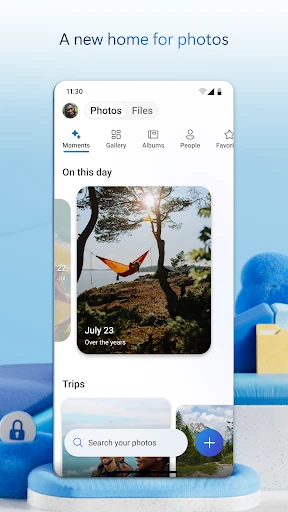
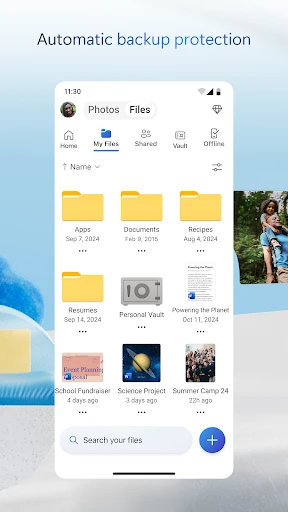
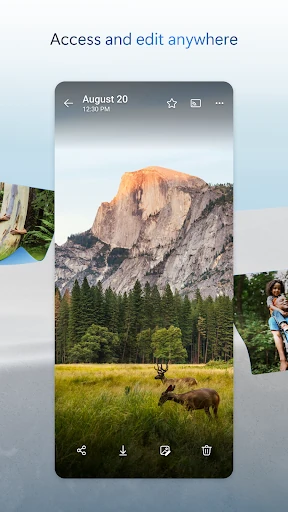
- Automated Media Backup: This feature ensures that mobile photos and videos are instantly secured in the cloud, protecting users against data loss due to device theft or hardware failure.
- Deep Microsoft 365 Integration: It solves the problem of version control by allowing multiple users to edit and collaborate on Office documents in real-time directly from their mobile devices.
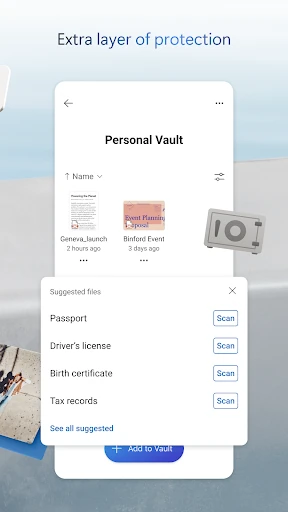
- Personal Vault: This provides an extra layer of security for sensitive documents, requiring secondary identity verification and solving the need for high-level privacy for digital IDs or financial records.
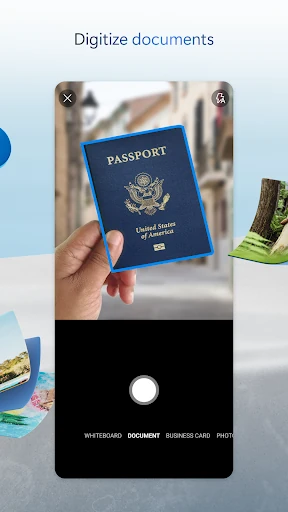
- On-the-Go Document Scanning: Users can digitize physical paperwork, sign documents, and add markups within the app, effectively replacing the need for standalone scanning hardware or third-party apps.
🎨 User Experience & Design
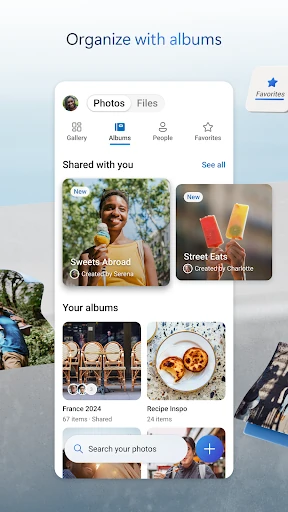
The interface of Microsoft OneDrive reflects the polished "Fluent Design" philosophy seen across the Microsoft suite. It offers a clean, professional aesthetic that prioritizes legibility and ease of navigation. The user experience is tailored for efficiency, featuring a bottom navigation bar that allows for quick switching between files, recent activity, and shared libraries. In terms of search functionality, the app exceeds category standards by utilizing AI-driven image recognition, allowing users to find photos by searching for objects like "beach" or "snow" even without manual tagging.
⚖️ Pros & Cons Analysis
- ✅ The Good: Unrivaled ecosystem synergy, allowing users to start a document on a PC and finish it on a phone without manual transfers.
- ✅ The Good: Robust security infrastructure including ransomware detection, recovery options, and encrypted file transit.
- ❌ The Bad: The 5 GB free storage tier is relatively ungenerous compared to the 15 GB offered by primary competitors like Google Drive.
- ❌ The Bad: Many of the most powerful features, such as expiring sharing links and advanced security, are locked behind a paid Microsoft 365 subscription.
🛠️ Room for Improvement
To further enhance the user experience, Microsoft could benefit from increasing the baseline free storage capacity to better compete with other cloud providers. Additionally, the app could improve its offline file management by offering more granular control over folder-level syncing for users with limited mobile data. Simplifying the process of switching between personal and work accounts would also reduce friction for professional users.
🏁 Final Conclusion & Recommendation
Microsoft OneDrive is the gold standard for users who are already integrated into the Windows or Office 365 environments. It is the ideal solution for corporate professionals, students, and families who prioritize security and cross-platform collaboration. While casual users may find the free storage limit restrictive, the app’s reliability and deep feature set make it a top-tier recommendation for anyone seeking a comprehensive productivity solution.
You May Also Like