Video Maker
Top Games












Game Screenshots
Game Introduction
🏆 Expert Verdict & Overview
Video Maker (Video.Guru) positions itself as a powerhouse in the Video Players & Editors category by balancing professional-grade capabilities with mobile-first accessibility. Unlike many of its competitors that gate essential features behind paywalls or intrusive watermarks, this app provides a high-utility environment for creators to produce 4K content. It successfully fills the niche for "prosumer" editing, offering a more sophisticated toolset than basic social media native editors while remaining far more intuitive than desktop-grade ports. Its focus on YouTube-specific optimization and watermark-free exports makes it a top-tier choice for the modern digital creator ecosystem.
🔍 Key Features Breakdown
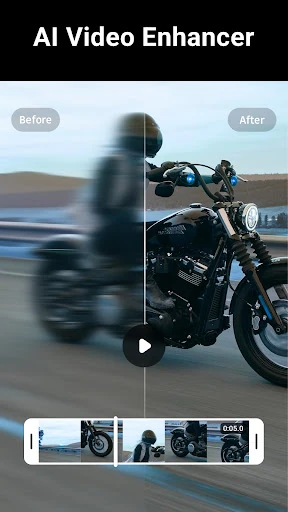
- AI Video Enhancer: Automatically optimizes footage clarity and supports up to 4K resolution, solving the problem of grainy or low-quality mobile recordings.
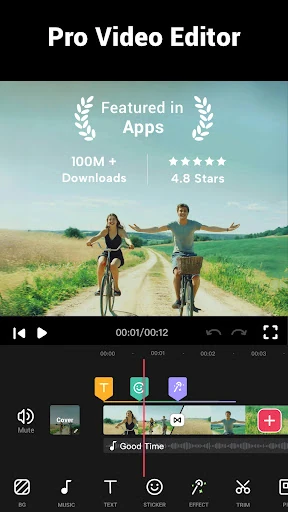
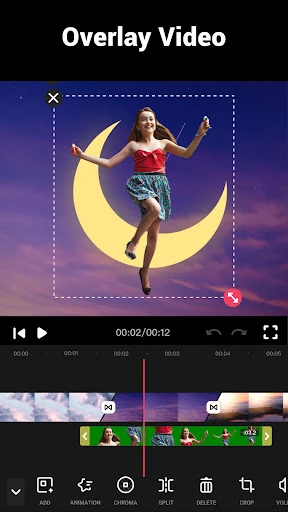
- Multi-Layer Timeline Editing: Allows users to stack video, music, stickers, and text, enabling complex storytelling that goes beyond simple linear clipping.
- Advanced Speed Control: Offers a range from 0.2x to 100x, giving users the ability to create professional time-lapses or dramatic slow-motion sequences with ease.
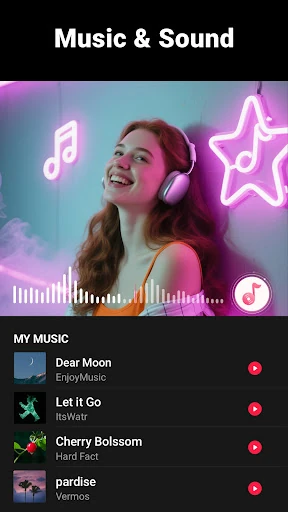
- Audio Extraction & Rhythm Mapping: Solves the difficulty of syncing visuals to audio by allowing users to pull music from any video and mark tracks according to the beat.
- Seamless Social Integration: Pre-set aspect ratios (1:1, 16:9, etc.) and direct export options eliminate the technical guesswork involved in formatting for different platforms.
🎨 User Experience & Design
The UI is designed with a "depth-on-demand" philosophy, keeping the primary workspace clean for beginners while hiding advanced tools like custom BGM fading and multi-ratio borders within an organized bottom-tray menu. The timeline navigation is responsive, facilitating precise "trim and cut" actions that are often frustrating on smaller screens. By prioritizing a "No Watermark" and "No Banner Ad" experience, the UX minimizes distractions, allowing the user to focus entirely on the creative process. The aesthetic is modern and utilitarian, adhering to the high standards expected by Android users in the creative category.
⚖️ Pros & Cons Analysis
- ✅ The Good: High-resolution 4K export capability without the industry-standard "watermark" penalty.
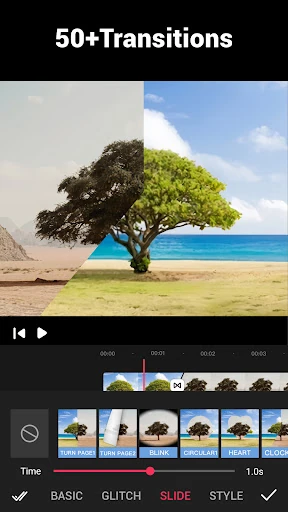
- ✅ The Good: Extensive library of 50+ transitions and free HD music tracks that reduce the need for external assets.
- ❌ The Bad: Heavy 4K multi-layer projects may experience processing lag on older or mid-range hardware.
- ❌ The Bad: Lack of advanced keyframe animation tools might limit users looking for high-end motion graphics.
🛠️ Room for Improvement
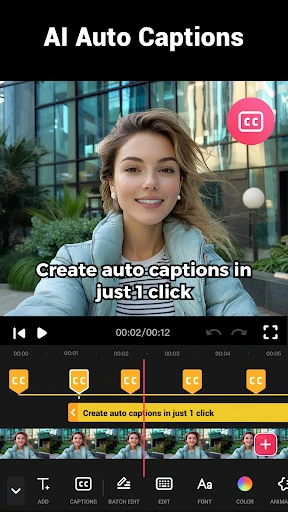
To further solidify its "Pro" status, the app could benefit from adding AI-driven automatic captioning/subtitles, which is currently a high-demand feature for short-form video creators. Additionally, implementing a dedicated color grading panel with LUT support would provide more granular control for users aiming for a specific cinematic look. Finally, adding cloud-sync for project files would allow for a smoother transition between different mobile devices.
🏁 Final Conclusion & Recommendation
Video Maker is an ideal solution for social media influencers, YouTubers, and casual creators who require a robust editing suite without the complexity of professional desktop software. Its barrier-free approach (no registration and no watermarks) makes it the "best-in-class" recommendation for beginners looking to produce high-quality vlogs and music videos. If you are serious about mobile content creation, this app is a mandatory addition to your digital toolkit.
You May Also Like