Alli360 by Kids360
Top Games












Game Screenshots



Game Introduction
🏆 Expert Verdict & Overview
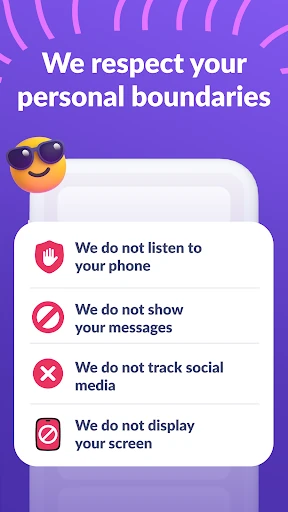
Alli360 by Kids360 is a specialized companion utility designed to bridge the gap between parental oversight and adolescent digital autonomy. Positioned within the competitive Parenting landscape, it serves as the "child-side" node of the Kids360 ecosystem. Unlike invasive surveillance tools, Alli360 focuses on structured screen time management and habit-forming discipline. It is an authoritative solution for parents seeking to mitigate digital distractions while maintaining essential communication channels, adhering strictly to GDPR standards and modern safety protocols.
🔍 Key Features Breakdown
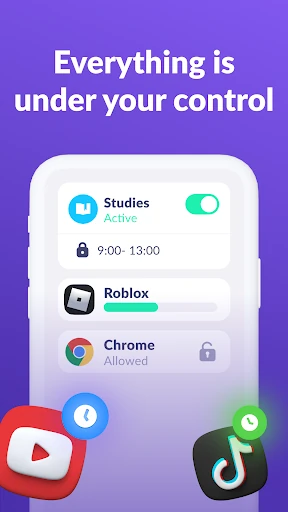
- Granular Time Limits: Allows parents to set precise daily quotas for specific entertainment apps and games, preventing screen addiction and promoting balanced daily routines.
- Intelligent Scheduling: Solves the problem of nighttime distractions and school-hour wandering by automating the lockout of social media and games during predefined study or rest periods.
- Application Filtering: Provides a curated approach to digital access, enabling parents to whitelist educational tools while restricting high-stimulus apps.
- Detailed Usage Analytics: Offers a data-driven window into a teen's smartphone habits, identifying the most used applications to facilitate informed conversations about digital consumption.
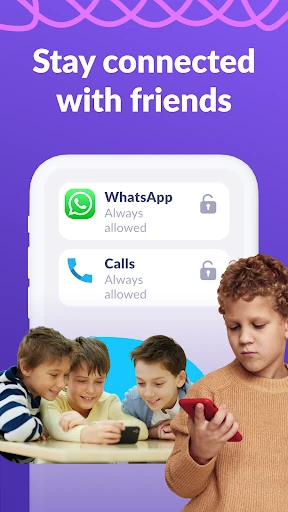
- Whitelist Communication: Solves the safety concern of total lockout by ensuring that essential apps—such as calls, messages, and transportation services—remain accessible at all times.
🎨 User Experience & Design
As a background-oriented utility, the UI of Alli360 is built for functional transparency and resilience. The setup process, which involves a secure link-code synchronization with the "Kids360 for parents" app, is streamlined to minimize friction during the initial configuration. The UX is heavily centered on "Device Admin" and "Accessibility Service" integrations, which are essential for the app's persistence. For a parenting category app, it meets the high standards of reliability, ensuring that the restrictions cannot be easily bypassed by tech-savvy teenagers, while maintaining a clear, non-confrontational interface that emphasizes transparency and consent.
⚖️ Pros & Cons Analysis
- ✅ The Good: Highly reliable application blocking through the use of Accessibility Services and overlay permissions.
- ✅ The Good: Strong focus on safety and ethics, requiring explicit consent and adhering to strict GDPR data policies.
- ❌ The Bad: The heavy reliance on system permissions (Device Admin, Autostart) can be complex to configure on certain Android skins with aggressive battery management.
- ❌ The Bad: Advanced time management features are locked behind a subscription model after the initial trial period.
🛠️ Room for Improvement
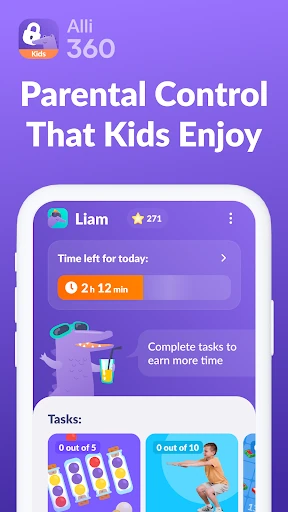
Future updates could benefit from a "gamified" reward system within the Alli360 interface, allowing teens to "earn" extra screen time by completing educational tasks or chores. Additionally, providing a more visual "Time Remaining" widget for the child would help them manage their own limits more effectively without having to constantly check the main app. Refining the setup wizard for specific Chinese-manufactured devices (where Autostart settings are often hidden) would also improve the onboarding experience.
🏁 Final Conclusion & Recommendation
Alli360 by Kids360 is an essential tool for parents of school-aged children and teenagers who struggle with digital overconsumption. It is best suited for families looking for a "trust but verify" approach to smartphone usage. While the setup requires navigating several Android permission layers, the result is a robust, tamper-resistant system that fosters healthier digital habits. It is highly recommended for parents who prioritize safety and structured schedules over simple app-blocking.
You May Also Like