Google Gemini
Top Games












Game Screenshots
Game Introduction
🏆 Expert Verdict & Overview
Google Gemini represents a pivotal shift in the productivity landscape, transitioning from a reactive voice assistant to a proactive AI partner. As Google's flagship multimodal AI, it leverages a vast data ecosystem to provide a centralized hub for information retrieval, creative generation, and workflow automation. In the competitive sphere of mobile productivity, Gemini distinguishes itself by moving beyond simple text prompts, offering a deeply integrated experience that feels less like a standalone app and more like an intelligent layer atop the mobile operating system. It is a bold statement from Google, signaling the future of how users interact with their devices through natural language and visual context.
🔍 Key Features Breakdown
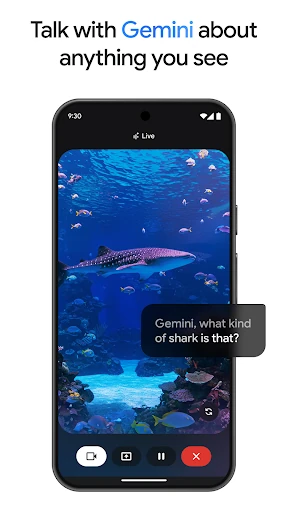
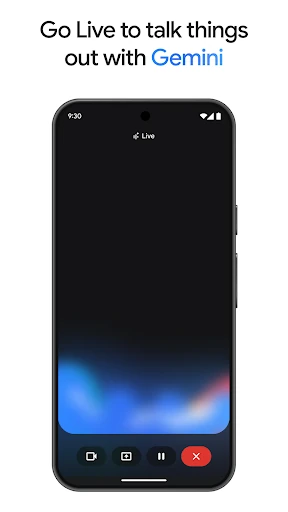
- Gemini Live: Facilitates fluid, conversational brainstorming and real-time problem solving by allowing users to share their camera or screen for visual context.
- Canvas & Prototyping: Bridges the gap between ideation and execution, enabling the creation of apps, games, and infographics from simple descriptive prompts.
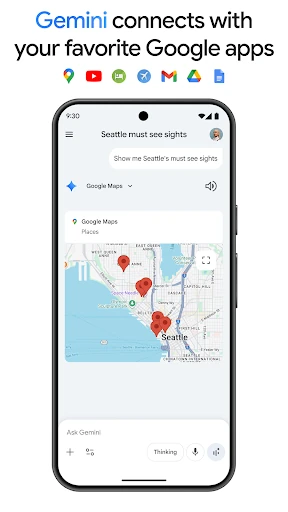
- Google App Extensions: Connects directly with Gmail, Maps, and YouTube to provide context-aware assistance, such as summarizing email threads or planning travel itineraries.
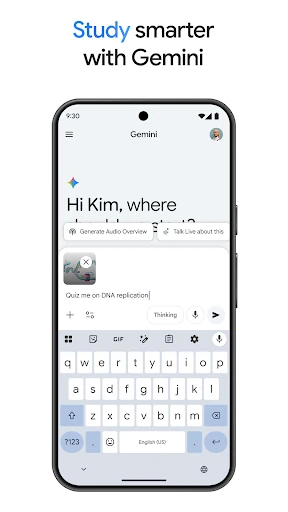
- Educational Suite: Simplifies complex topics by converting documents into podcasts, interactive quizzes, and flashcards, catering to various learning styles.
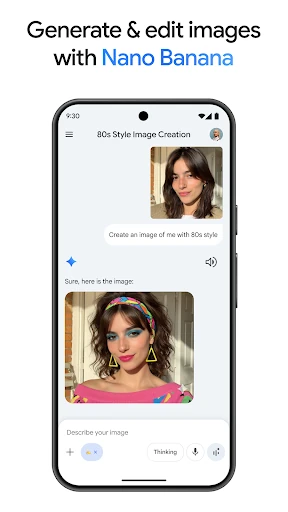
- Nano Banana Image Engine: Offers high-fidelity image generation and editing capabilities, including the ability to blend images and design text-sharp posters or diagrams.
- Massive Context Window: The Pro tier supports a 1M token window, allowing the AI to process up to 1,500 pages of text for deep analysis and research.
🎨 User Experience & Design
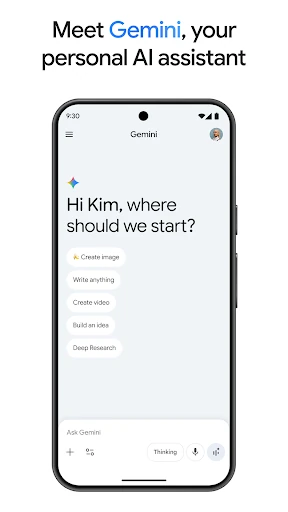
The interface adheres to modern Material Design principles, prioritizing cleanliness and intuitive navigation. The transition from the legacy Google Assistant to Gemini is marked by a shift toward a conversational "chat-first" layout. The UX is designed to feel inclusive; whether the user is typing, speaking, or uploading an image, the response flow remains consistent and responsive. By integrating "Deep Research" and "Agent Mode" into the workflow, the design minimizes the friction usually associated with switching between multiple specialized tools, though the depth of features may present a slight learning curve for novice users.
⚖️ Pros & Cons Analysis
- ✅ The Good: Seamless integration with the Google Workspace ecosystem makes it an unrivaled tool for existing Google users.
- ✅ The Good: Multimodal capabilities (Live and Vision) provide a more human-like interaction than traditional search-based assistants.
- ❌ The Bad: Replacing the primary Google Assistant may disrupt users who rely on specific legacy smart home routines or offline commands.
- ❌ The Bad: The most powerful models and creative tools, like Veo 3.1 and Deep Research, are locked behind a subscription paywall.
🛠️ Room for Improvement
Future updates should focus on enhancing the reliability of legacy "Assistant" features to ensure that smart home controls and basic system utilities remain lightning-fast. Additionally, expanding offline capabilities for the Nano models would allow users to maintain productivity in low-connectivity environments. Providing more granular transparency into "Agent Mode" actions would also help build user trust during complex task automation.
🏁 Final Conclusion & Recommendation
Google Gemini is an essential tool for students, creative professionals, and power users who require a sophisticated AI companion to manage their digital lives. It is best suited for those already embedded in the Google ecosystem who want to leverage their existing data for higher productivity. While the free version is highly capable, the Pro and Ultra plans are recommended for researchers and developers who need the massive 1M token context window and high-end video generation features. This is a definitive step forward in the evolution of personal computing.
You May Also Like